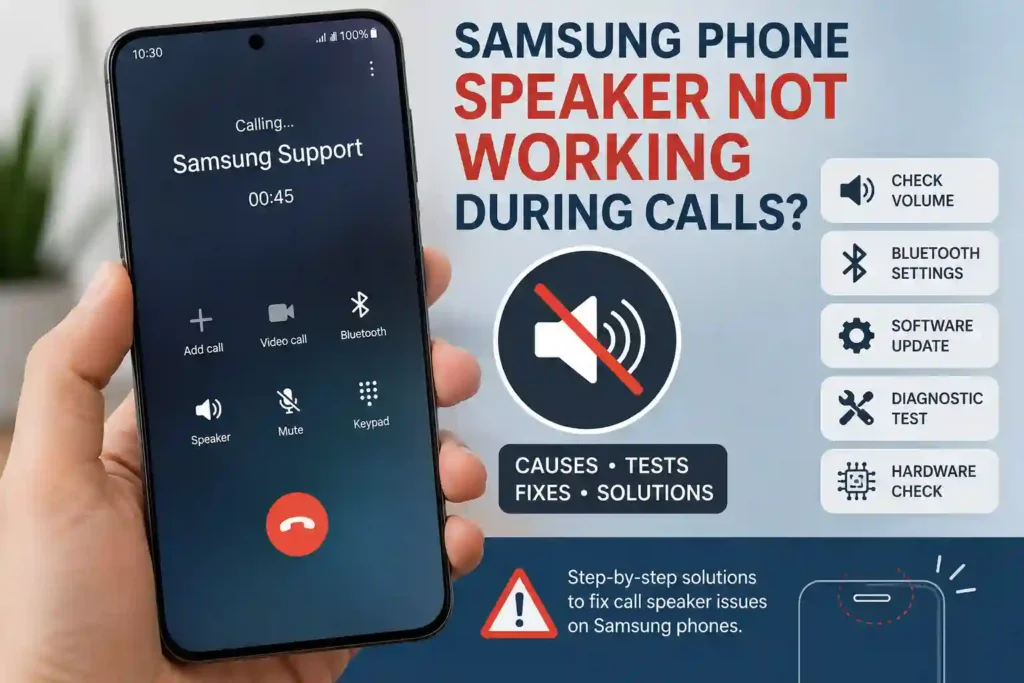
If your Samsung phone speaker isn’t working during calls but works normally while playing music or videos, the issue is usually caused by Bluetooth, low in-call volume, software bugs, audio routing, or call settings, not a damaged speaker.
In this guide, you’ll learn:
✔ Why your Samsung phone speaker isn’t working during calls
✔ How to test if the speaker is damaged
✔ The fastest fixes that solve the problem
✔ When to visit a Samsung service center
Most users can fix the issue in just a few minutes without losing any data.
Quick Fix Checklist
| Quick Fix | Why It Helps |
|---|---|
| Turn up the in-call volume. | A low call volume setting can make the earpiece seem dead even when it’s working normally. |
| Make sure Bluetooth is off or disconnected. | Calls may be routed to earbuds, a watch, or a car system instead of the phone speaker. |
| Check that the call isn’t muted or routed to speaker/headset by mistake. | A wrong in-call control setting can make it seem like the speaker has failed when audio is just redirected or silenced. |
| Remove the phone case, cover, or any debris blocking the earpiece. | Physical obstructions can muffle or block sound from the top speaker during calls. |
| Restart the phone. | A reboot clears temporary glitches that can interfere with call audio. |
| Check for and install software updates. | Updates can fix audio-routing and system bugs affecting calls. |
| Test the speaker and call audio in Samsung Members diagnostics. | Built-in diagnostics help confirm whether the issue is software-related or likely hardware-related. |
| Reset all settings. | This can fix misconfigured audio, accessibility, or connectivity settings without erasing personal data. |
| Back up data and perform a factory reset if nothing else works. | A full reset removes deeper software corruption that can keep the call speaker from working properly. |
| Contact Samsung service if the problem persists. | If the speaker still fails after software fixes, the earpiece or related hardware may need repair. |
Why Is My Samsung Phone Speaker Not Working During Calls?
If your Samsung phone speaker is not working during calls, the problem is usually caused by a setting, connection, or software issue rather than the speaker itself. On Galaxy phones, call audio can be affected by Bluetooth routing, low in-call volume, accessibility settings, app conflicts, SIM/network problems, or physical damage. Samsung also notes that external devices, software issues, and hardware problems can all lead to speaker trouble.samsung+1
- Software glitches: A temporary system bug can interrupt call audio even when other sounds still work normally.
- Bluetooth audio routing: Your call may be sent to earbuds, a watch, or a car system instead of the phone’s earpiece speaker.
- Low in-call volume: If the call volume is too low, the speaker may seem broken even though it is still working.
- Accessibility settings: Features like Mute all sounds can silence call audio across the phone.
- SIM or network issues: Weak signal, carrier glitches, or a bad SIM connection can affect call quality or prevent sound from coming through clearly.
- App conflicts: A recently installed app or a background audio app can interfere with normal call sound behavior.
- Hardware damage: Dust, moisture, drops, or internal speaker damage can stop the earpiece from producing sound at all.
How to Test Your Samsung Phone Speaker
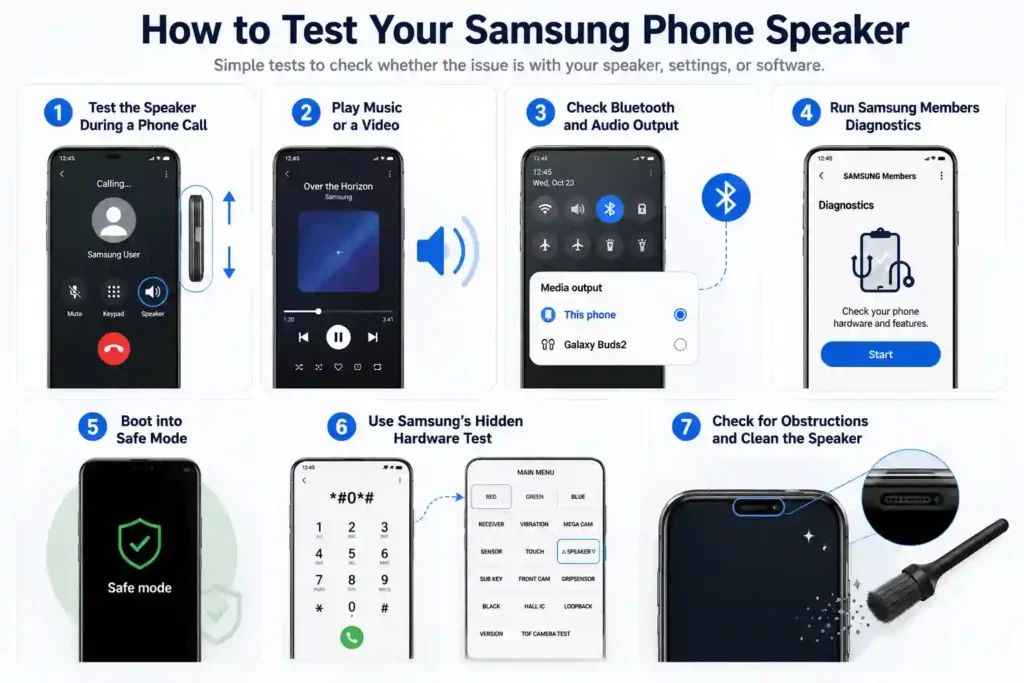
Before trying advanced fixes, it’s important to find out whether the problem is caused by your phone’s hardware or by software and settings. These simple tests will help you identify the root cause of your Samsung phone speaker issue during calls.
Test the Speaker During a Phone Call
Make a regular phone call and increase the in-call volume using the Volume Up button. If you can’t hear the other person, or the sound is very low or distorted, the issue may be related to the earpiece speaker, call settings, or software.
Play Music or a Video
Play a song or YouTube video through your phone’s speaker. If media audio works normally but you still can’t hear calls, the speaker is likely functioning correctly, and the issue is probably related to call audio settings, Bluetooth, or software.
Check Bluetooth and Audio Output
Turn off Bluetooth and disconnect any wireless earbuds, headphones, or car audio systems. Sometimes your Samsung phone automatically routes call audio to a connected Bluetooth device, making it appear as though the phone speaker isn’t working.
Run Samsung Members Diagnostics
If your device supports it, open the Samsung Members app and run the built-in Speaker Diagnostic test. A successful test usually means the speaker hardware is working properly, while a failed test may indicate a hardware problem.
Boot into Safe Mode
Restart your phone in Safe Mode to temporarily disable all third-party apps. If the speaker works normally in Safe Mode, one of your installed apps is likely causing the problem.
Use Samsung’s Hidden Hardware Test
On many Samsung Galaxy phones, dialing *#0*# opens the hidden hardware diagnostic menu. Tap Speaker to play the test sound. If you hear the test audio clearly, the speaker hardware is likely working correctly. If there’s no sound, the speaker may be damaged or require professional repair.
Compare Your Test Results
Use the results below to determine the most likely cause of the problem.
| Test Result | Most Likely Cause |
|---|---|
| Speaker works during media playback but not calls | Call settings, Bluetooth, or software issue |
| Speaker works in Safe Mode | Third-party app conflict |
| Samsung Members diagnostic passes | Speaker hardware is functioning properly |
*#0*# speaker test fails | Possible hardware damage |
| All tests fail | Hardware fault or internal component issue |
Still Not Working? Here’s What to Do Next
If your Samsung phone speaker is still not working during calls after trying all the basic fixes, the issue could be related to your SIM card, network settings, software, or the phone’s hardware. Before seeking professional repair, try these final troubleshooting steps:
- Test with headphones or a wired headset: If you can hear calls through headphones but not the phone’s earpiece speaker, the issue is likely with the speaker hardware rather than the call itself.
- Try a different SIM card: Insert another active SIM card to check whether the problem is caused by your carrier or a faulty SIM.
- Reset network settings: This refreshes your phone’s network configuration and can resolve call-related audio issues caused by incorrect network settings.
- Perform a factory reset: If the problem is caused by software corruption, a factory reset may fix it. Be sure to back up all your important data before resetting your device.
- Visit a Samsung Service Center: If the speaker still doesn’t work during calls after completing all the above steps, your phone may have a hardware fault that requires professional diagnosis or repair.
Tip: If your phone plays music and videos normally but you still can’t hear people during calls, the problem is more likely related to call settings, the earpiece speaker, or your network rather than the main speaker.
Samsung Phone Speaker Not Working During Calls: Final Verdict
In most cases, a Samsung phone speaker that doesn’t work during calls is caused by Bluetooth connections, incorrect audio settings, software glitches, or temporary bugs rather than a faulty speaker. Start with the quick fixes, run Samsung’s built-in speaker test, and only consider professional repair if the problem persists after troubleshooting.
Why is my Samsung phone speaker not working during calls?
The most common causes include low in-call volume, Bluetooth routing audio to another device, software glitches, incorrect audio settings, or a faulty earpiece speaker. In most cases, the issue can be fixed with basic troubleshooting before considering a hardware repair.
How do I know if it’s a hardware or software problem?
If the speaker works while playing music or videos but not during calls, the issue is usually software-related. If it doesn’t work anywhere, even after testing in Safe Mode or using Samsung’s built-in diagnostics, hardware damage is more likely.
Can Bluetooth cause no sound during calls?
Yes. If your phone is connected to wireless earbuds, a smartwatch, or your car’s Bluetooth system, call audio may be routed there instead of the phone’s earpiece. Disconnect all Bluetooth devices and test the call again.
What is the #0# speaker test on Samsung phones?
On many Samsung Galaxy devices, dialing *#0*# opens the built-in hardware test menu. Tap Speaker to check whether the speaker is functioning. If no sound plays during the test, the problem may be related to the speaker hardware.
When should I visit a Samsung service center?
If the speaker still doesn’t work after checking the volume, disabling Bluetooth, restarting the phone, testing in Safe Mode, and running the speaker diagnostic, it’s time to visit a Samsung service center. Persistent issues after water damage or a drop usually indicate a hardware fault requiring professional repair.