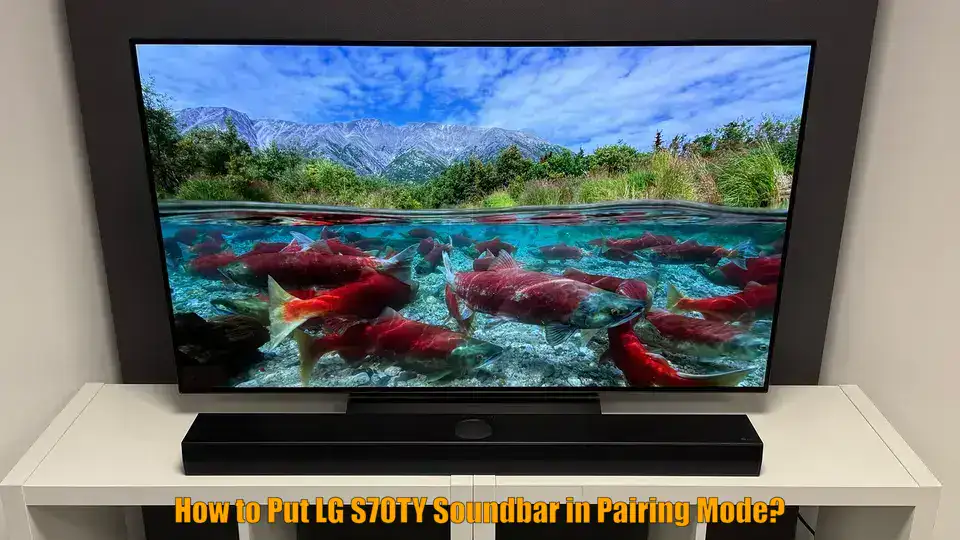
de? in 5 Easy Step
Knowing how to put LG S70TY soundbar in pairing mode is essential for connecting your Bluetooth-enabled devices such as an iPhone, LG TV, or wireless subwoofer. Whether you’re setting up the soundbar for the first time or troubleshooting a lost connection, entering pairing mode allows you to stream audio wirelessly and enjoy optimal sound performance. This guide will walk you through getting your LG S70TY into pairing mode using onboard buttons, even if you’re missing the remote. By the end, you’ll be ready to connect your devices and begin enjoying immersive audio with minimal effort.
Prerequisites
- LG S70TY soundbar fully powered and plugged into a stable power outlet
- Bluetooth-enabled device (iPhone, Android phone, LG TV, tablet, or laptop)
- Optional: wireless subwoofer or rear speakers powered on and within 15 feet
- Soundbar buttons accessible (especially Power and Bluetooth/Pairing)
- No app required; Bluetooth settings managed on source device
- For wired alternative: HDMI ARC or optical cable connection ready if needed
How to Put LG S70TY Soundbar in Pairing Mode? Step-by-Step Instructions
- Power on the LG S70TY soundbar by pressing the Power button located on the soundbar’s control panel.
- Press the Bluetooth Pair or Pairing button on the soundbar to begin Bluetooth mode. The LED lights (usually LED1 and LED2) will start blinking white.
- On your Bluetooth device like an iPhone or TV, go to Settings and make sure Bluetooth is turned ON.
- Scan for available devices and tap on “LG S70TY(XX)” once it appears in the list of nearby devices.
- Wait for the connection confirmation on your device. You may also hear a voice prompt from the soundbar indicating it is “connected”.
Connect the LG S70TY Soundbar to an iPhone
Turn on the soundbar and press the Bluetooth Pair button to enter pairing mode. On your iPhone, go to Settings > Bluetooth and ensure Bluetooth is enabled. Wait a few seconds for “LG S70TY(XX)” to appear in the device list. Tap to connect. A confirmation tone or message will confirm successful pairing.
Re-Pair the Soundbar After Power Cycling
If your Bluetooth connection was lost due to a power cycle, press the Bluetooth Pairing button again. Wait for the LED indicators to blink white. Reconnect from your device’s Bluetooth settings by selecting the previously paired “LG S70TY(XX)” entry or re-scanning if needed.
Use the Soundbar Without the Remote
If the remote is unavailable, use the power and Bluetooth buttons directly on the soundbar panel. Start by turning off the soundbar, then activate pairing mode using the physical Bluetooth button. You can also pair with the subwoofer manually using its onboard PAIRING button.
Reset Bluetooth Pairing on the LG S70TY Soundbar
Power off the soundbar. Then press the Bluetooth Pair button again after turning it on. To reset the wireless subwoofer connection, hold the PAIRING button for 3–5 seconds until the green LED blinks. Turn on the soundbar to initiate re-pairing.
Verify Sound Output and Final Connection Status
After pairing is complete, play audio from your phone, TV, or other Bluetooth device. Ensure sound is coming from the soundbar. If not, check that the correct output source is selected and that audio settings like PCM (on TVs) match the connection type being used.
Troubleshooting
Subwoofer LED Stays Red
A red LED on the subwoofer means it is not connected to the soundbar. Power off the soundbar, then press and hold the subwoofer’s PAIRING button until the LED blinks green. Power the soundbar back on to complete pairing. Ensure the devices are within 4–15 feet of each other.
Soundbar Not Detected via Bluetooth
If your iPhone or TV doesn’t detect the soundbar, confirm it is in pairing mode (LEDs blinking white). Refresh your Bluetooth device list or restart Bluetooth settings. Remove or “forget” previous pairings if needed before attempting again.
No Audio Output from Soundbar
After a successful connection, if no sound plays, verify the source device has the soundbar selected as the output. On LG TVs, ensure the audio output is set to Bluetooth or use PCM audio format when connected via optical or ARC cable.
Bluetooth Pairing Fails Frequently
Unstable connections often result from long distances, interference, or prior failed pairings. Keep devices within Bluetooth range (under 15 feet) and avoid obstacles. Restart both the soundbar and your paired device, then re-enter pairing mode.
Cannot Pair Without Remote
You can still pair the LG S70TY soundbar without the remote by using the physical Bluetooth button on the unit itself and initiating subwoofer pairing through its rear button. Always follow the proper power cycling sequence outlined in the instructions.
Advanced Tips
- Turn on the wireless subwoofer or rear speaker first before powering on the soundbar to ensure quicker automatic pairing.
- Place the subwoofer near a wall or corner to enhance bass response, but avoid placing it directly against the wall to prevent muffled sound.
- Use optical or HDMI ARC connections for lower latency when syncing audio during video playback or gaming sessions.
- Avoid turning the soundbar on and off repeatedly during pairing attempts. Let it stay in pairing mode for a few minutes before trying again.
- Periodically check for firmware updates on the LG support site to ensure compatibility with newer devices and features.
Conclusion
Once you’ve learned how to put your LG S70TY soundbar in pairing mode, connecting to devices like iPhones, TVs, and Bluetooth speakers becomes straightforward. Following the proper steps ensures a smooth setup and reliable audio experience. Whether you’re pairing for the first time or reconnecting after a reset, this guide provides everything you need for success.
How do I get my LG S70TY soundbar into pairing mode?
Turn on the soundbar and press the Bluetooth Pair button until the LED indicators blink white. Pair within 3 minutes from your device.
How do I reset my LG S70TY sound bar Bluetooth connection?
Power cycle the soundbar, press the Bluetooth Pair button again, and reconnect from your device’s Bluetooth settings or scan anew.
Why is my LG subwoofer LED red?
A red LED indicates no connection. Press and hold the PAIRING button until it blinks green, then power on the soundbar to pair.
How to put LG S70TY soundbar in pairing mode without remote?
Use the physical Bluetooth Pair button on the soundbar. For subwoofer pairing, use the PAIRING button on its rear panel with soundbar power cycling.
How to connect LG S70TY to an iPhone?
Place the soundbar in pairing mode, go to Bluetooth settings on your iPhone, and select “LG S70TY” from the available devices to connect.
“`