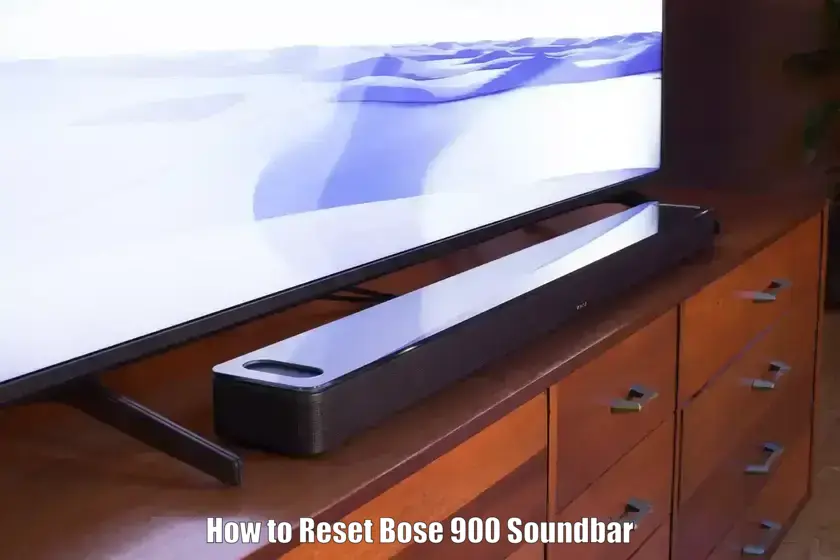
Knowing how to reset Bose 900 Soundbar can help resolve a variety of issues such as audio glitches, Bluetooth problems, or system unresponsiveness. Whether you need a quick reboot or a full factory reset to prepare the device for resale, this guide walks you through the right process.
Resetting is useful when the soundbar fails to pair with Bluetooth devices, shows persistent errors after firmware updates, or becomes non-responsive during setup. This tutorial will explain multiple reset methods, including how to reset Bose Soundbar 900 without a remote and how to do a factory reset on soundbar using onboard buttons or a remote, ensuring you’re never stuck without a solution.
Prerequisites
- Bose Smart Soundbar 900 powered via original or equivalent AC power cord
- Bose remote control (for remote-based reset methods)
- Access to the onboard buttons: “Action” and “Mic Off”
- Stable power supply—do not unplug during firmware updates or resets
- Wi-Fi connection for firmware updates or recovery functions
- Bose Music app installed on a compatible iOS or Android device
Resetting Bose 900 Soundbar Step-by-Step Instructions
- Power off your Bose Smart Soundbar 900: Ensure your soundbar is turned off before beginning any reset process. This prevents potential conflicts during buttons sequence execution.
- Perform a Soft Reset (Reboot): Unplug the power cord from the AC outlet. Wait at least 10 seconds, then plug it back in. Wait for the soundbar LED to display a solid amber light.
- Factory Reset Using Remote: With the soundbar powered on, press and hold the Power and Skip Forward buttons on the remote simultaneously for at least 5 seconds. The LED will blink twice, followed by a reboot.
- Remove Device from Bose Music App: Before factory reset, go to My Account > Manage Products > Edit > Delete in the Bose Music app to unlink the soundbar for a smoother re-setup after reset.
- Factory Reset Without Remote: Press the Action button once, then the Mic Off button once, and repeat the sequence one more time, allowing about 1 second between each press. Wait for the LED to blink green.
- Clear Paired Bluetooth Devices: To clear the Bluetooth device memory on your Bose 900 soundbar, press and hold the Bluetooth button on the remote control for about 10 seconds. The light on the soundbar should pulse white twice and then turn blue, indicating all previously paired Bluetooth devices have been removed.
- Reset Using Soundbar Buttons (No Remote): If you’re wondering how to reset Bose soundbar 900 without a remote, power on the soundbar and use the built-in controls. Press the action button once, then the mic off button once, then action again, and mic off again. Wait one second between each press. The light will blink green indicating recovery mode and the device will then reboot into factory default settings.
- Enter Recovery Mode Manually: For unresponsive systems or failed updates, use the same button sequence as the soundbar reset without remote: action, mic off, action, mic off. When the LED blinks green, the soundbar attempts a firmware recovery. Ensure it remains powered during this process to avoid bricking the unit.
- Reconnect via Bose Music App After Reset: After performing a factory reset, open the Bose Music app, navigate to “My Account” and select “Add Product.” Follow the prompts to re-pair your Bose Smart Soundbar 900 and restore personalized settings as needed.
- Check LED Status for Confirmation: After any reset or recovery task, confirm the status using the LED light bar: a solid amber light means the soundbar is ready for setup, while a blinking green light indicates firmware recovery is in progress. These cues help verify the reset process was successful.
Common Troubleshooting while Resetting Bose 900 Soundbar
| Issue | What to Do |
|---|---|
| Soundbar Not Powering On After Reset | Ensure the power cord is firmly connected and try a different power outlet. If it is still unresponsive, repeat the reset using the on unit buttons with a full one second pause between each press. |
| Bluetooth Not Pairing Post Reset | Clear the soundbar Bluetooth memory first. Remove the soundbar from your phone Bluetooth list, restart both devices, then try pairing again through the Bose Music app. |
| Device Not Appearing in Bose Music App | Make sure your phone is connected to the same Wi Fi network as the soundbar. Turn off any VPN or firewall apps and update the Bose Music app to the latest version. |
| Soundbar Stuck in Update Mode | If the LED keeps blinking during an update, perform a manual firmware installation using a computer and USB as described on the official Bose support site. Do not power off during the update. |
| Recovery Mode Not Activating | Check that the buttons are pressed in the correct order with one second gaps. Restart the process from the beginning and confirm the soundbar is powered on. |
Advanced Tips
- After a factory reset, re-run room calibration or TrueSpace tuning via the Bose Music app to optimize sound for your specific room layout.
- To disable the Wi-Fi module temporarily, press and hold the Bose Music and Skip Forward buttons on the remote at the same time until the LED changes.
- Use a wired Ethernet connection during firmware updates for improved stability and faster download times.
- Regularly check for firmware updates within the Bose Music app to maintain compatibility and prevent common performance issues.
- If problems persist, restore factory settings and set up the device as new rather than using backup-connected accounts.
Conclusion
Resetting your Bose Smart Soundbar 900, whether performing a soft reboot or a full factory reset, is essential for resolving connectivity issues and restoring smooth performance. Now that you’ve learned how to reset Bose 900 soundbar properly, you can confidently troubleshoot pairing problems, setup errors, or prepare your device for resale. Always follow the correct reset method matching your needs and equipment availability for best results.
How do I reset my Bose to factory settings?
With the soundbar powered on, press and hold the Power and Skip Forward buttons on the remote for 5 seconds. The LED will blink and reboot the unit to factory defaults.
How to reset Bose soundbar 900 without a remote?
Use the on-device sequence: action button, mic off, action, mic off, wait one second between each press. The soundbar will enter recovery and reset.
Will a factory reset delete app data or voice assistant accounts?
It deletes local settings on the soundbar. You will need to re-link streaming and voice services through the Bose Music app after reset.
What does the blinking green LED mean?
Blinking green indicates the soundbar is in recovery mode and attempting to reinstall or update firmware.
Why isn’t my soundbar connecting after a reset?
Ensure it’s on the same Wi-Fi network as your phone, remove any previous device entries, and restart both devices before re-pa