
If you’re looking for a simple and affordable way to improve your TV’s sound, this Philips B5106 review will help you decide whether it’s the right choice. We tested the soundbar and analyzed real customer feedback to understand how it performs in everyday use. Unlike larger home theater systems, the Philips B5106 is a compact 2.0-channel soundbar designed for people who want clearer dialogue, louder TV audio, and an easy plug-and-play setup without filling the room with extra speakers.
In this Philips B5106 review, we cover its biggest strengths, including HDMI ARC for one-remote control, Bluetooth music streaming, Roku TV Ready compatibility, and multiple sound modes that improve movies, TV shows, and news. We also discuss its limitations, such as the lack of a dedicated subwoofer, modest bass performance, and volume constraints in larger rooms.
By the end of this Philips B5106 review, you’ll know who should buy this soundbar, who should skip it, how easy it is to install, and whether it offers good value for your budget. Our goal is to help you make an informed buying decision based on real-world performance rather than marketing claims.
Philips B5106 Review: Quick Verdict
Best For
Anyone who wants a compact, easy-to-install TV audio upgrade with HDMI ARC and Bluetooth and who uses a small living room or bedroom setup.
Not Ideal For
People who expect deep bass, high volume for large rooms, or immersive multi-channel surround sound.
Top Strengths
Simple setup and included mounting hardware, HDMI ARC and Roku TV Ready integration, Bluetooth streaming, and three quick presets for voices, music, and movies.
Biggest Weaknesses
Limited low-frequency output and reported thin or tinny sound character in some user feedback. No external subwoofer or rear channels.
Bottom Line
The Philips B5106 review highlights a basic, user-friendly soundbar that is a sensible step up from most TV speakers. It will suit viewers who prioritize convenience and straightforward control, but not listeners who demand punchy bass or room-filling power.
Product Overview
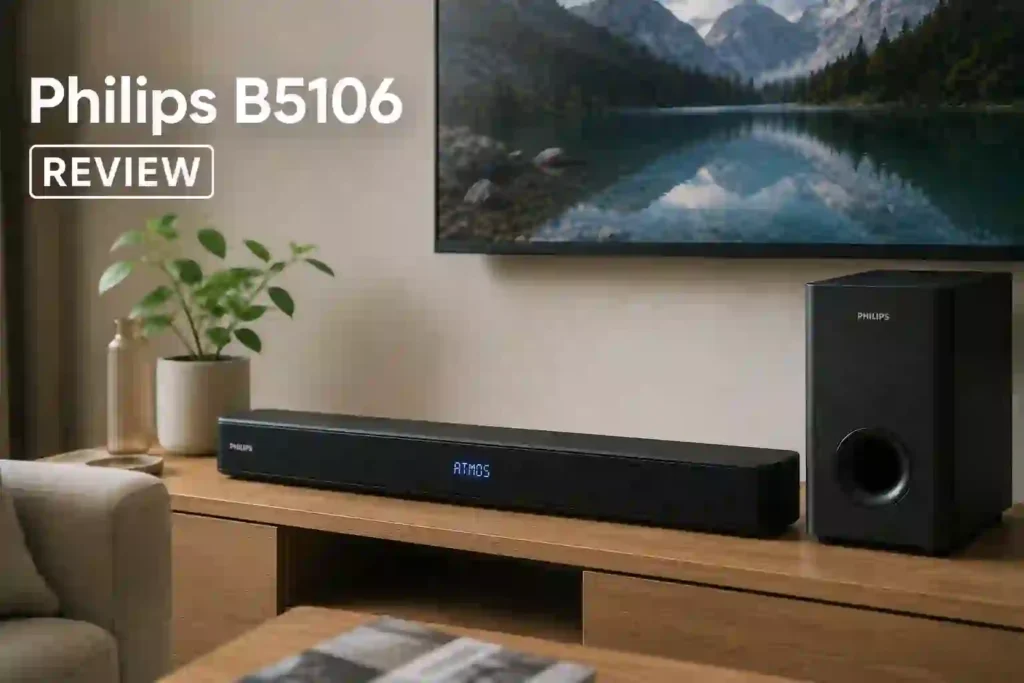
The Philips B5106 is a 2.0-channel soundbar positioned as a simple TV audio upgrade. It focuses on ease of use rather than advanced audio processing. Key highlights are HDMI ARC for TV-remote volume control, Bluetooth streaming for playing music from phones and tablets, optical and 3.5mm inputs for wired connections, three preset sound modes labeled Voices, Music, and Movies, and Roku TV Ready compatibility to simplify integration with Roku TVs. The product is designed for small rooms and tidy installs, with a low-profile, wall-mountable shape and included bracket and screws.
Philips B5106 Specifications
| Specification | Details |
|---|---|
| Channels | 2.0-channel |
| Total Output Power | 60 W (total) |
| Connectivity | HDMI ARC, Bluetooth, Optical input, 3.5mm audio-in |
| Subwoofer | Internal (no external subwoofer included) |
| Sound Modes | Voices, Music, Movies |
| Wall-Mountable | Yes (bracket included) |
| Remote | Included (with batteries) |
| Package Contents | Soundbar, remote, AAA batteries, power adapter, wall mount bracket and screws, quick start guide, warranty card |
Why These Specifications Matter
When we consider a small soundbar like the Philips B5106 REVIEW, the simple specs directly explain how it will behave in everyday use. A 2.0-channel configuration means there are left and right drivers inside one slim housing, so the unit enhances stereo separation and clarity over a TV speaker but cannot reproduce true surround effects. The 60 W total output gives enough power for small rooms while it also sets expectations about maximum loudness.
HDMI ARC matters because it lets you use your TV remote to control the soundbar’s volume, which removes a layer of complexity for the average user. Bluetooth and basic wired inputs let you connect phones and legacy audio devices without an app or network setup. Finally, the three presets provide fast, one-button changes so you can favor dialogue or music without fiddling with equalizer settings.
Key Features Explained
When we walk through the Philips B5106 review features, it helps to look at each by how it affects daily use. HDMI ARC is one of the most practical features for most buyers. It reduces cable clutter and lets the TV remote control volume, which is a convenience many people notice immediately. Roku TV Ready compatibility extends that convenience for Roku TV owners, so pairing controls between products tends to be trouble-free.
Bluetooth streaming matters because it turns the soundbar into a quick speaker for music and podcasts. There is no network streaming interface or dedicated app, so Bluetooth covers the everyday need for wireless playback without additional setup. The presence of optical and 3.5mm inputs means older TVs and devices can still connect, which is helpful if the TV has limited HDMI ports.
The unit’s three preset sound modes are simple but useful. Voices mode aims to put dialogue forward for shows and news. Music mode is intended to balance vocals and instruments, while Movies mode tries to boost cinematic impact. These presets are aimed at people who prefer quick adjustments over manual equalization and are most valuable for users who do not want to dive into audio menus.
Design choices reflect the product’s purpose. The low-profile, slanted/trapezoid body is meant to sit under a TV or on the wall without blocking the screen. Inclusion of a remote, wall-mount bracket, and power adapter means the soundbar is ready to go out of the box, which benefits households that value plug-and-play simplicity.
Limitations are part of the design trade-offs. As a 2.0 soundbar without a separate subwoofer, bass depth is constrained by the internal drivers. That will matter for viewers who want rumble and room-shaking effects. Also, no wireless rear channels are included, so immersive formats that require additional speakers are outside this product’s scope.
Who Should Buy Philips B5106?
Ideal Buyers
We recommend the Philips B5106 review to people who want an affordable and simple way to improve TV audio in a small room. It suits those who value single-remote operation via HDMI ARC and Roku TV Ready compatibility. Buyers who like quick setup and included mounting hardware also benefit.
Who Should Avoid It
Avoid this soundbar if strong deep bass, very high volume for a large room, or advanced multi-channel surround sound are priorities. Audiophiles and home theater enthusiasts who want a subwoofer or Dolby Atmos support will find the B5106 limiting.
Best Use Cases
The soundbar is best under a bedroom or small living room TV, for daily TV shows, streaming movies where dialogue clarity matters, and casual music listening from a phone via Bluetooth.
Less Suitable Use Cases
Large living rooms, parties where loud volume is needed, bass-heavy music genres, and dedicated gaming setups where positional audio is important are less suitable.
Design and Build Quality
We see the Philips B5106 review as a low-profile, compact unit designed to blend with most TV setups. The shape is slanted or trapezoid to fit comfortably beneath a TV screen while remaining wall-mountable if a tidy installation is preferred. Materials and finish details are not specified, but the package comes with a wall mount bracket and screws for secure mounting.
The included remote and simple physical footprint make the unit practical for everyday use. Durability specifics and long-term reliability are not detailed, so buyers should consider that this product is positioned towards convenience rather than premium hardware feel. Placement considerations are straightforward: it is intended to sit under the TV on a console or be mounted directly beneath the screen to preserve sound imaging and aesthetics.
Setup and Installation
From our perspective, the Philips B5106 is designed for minimal fuss. Typical setup is to connect the HDMI ARC port on the TV to the soundbar’s HDMI port and enable ARC in the TV settings. After that, the TV remote should control volume, simplifying daily operation. Bluetooth pairing is available for wireless audio from phones and tablets, though no dedicated companion app or advanced network setup is required. Check out the official Philips B5106 user manual for the detailed process.
The package contains a remote, batteries, and mounting hardware, so basic installation is covered out of the box. Reported user impressions emphasize that setup is quick and straightforward. If TV ARC features need adjusting, general steps include ensuring HDMI is in the TV’s ARC-labeled port and enabling the TV’s ARC setting. The experience is intentionally user-friendly and free of complex configurations.
Sound Performance
Movie Performance
For movie nights and TV viewing the Philips B5106 review focuses on clarity and convenience. The Voices preset is designed to bring dialogue forward so spoken content is easier to follow than many built-in TV speakers. This is helpful for news, dramas, and dialogue-heavy streams. The Movies preset attempts to provide a more cinematic balance, but because the unit is a compact 2.0 soundbar with no external subwoofer, the lowest bass notes and deep effects will be limited.
Some owners note a thin or tinny character and have described the bass as lacking. In small rooms and for modest listening levels the B5106 will deliver better clarity than most flat-panel speakers, but it will not recreate the low-frequency impact of systems with separate subwoofers.
Music Performance
Music playback via Bluetooth is convenient and straightforward. The Music preset aims to balance vocals and instruments, making casual listening pleasant for pop, acoustic, and podcast content. The unit is not designed to be a full-range hi-fi speaker, so tracks that depend heavily on bass extension may sound restrained. For everyday background music and streaming from phones, the soundbar performs as an accessible, no-fuss option.
Gaming Performance
Gaming benefits from clearer on-screen dialogue and midrange clarity, but positional audio and low-frequency effects will be limited compared with multi-channel systems. The Philips B5106 review does not advertise gaming-specific modes or latency figures, so serious competitive gamers or users who want immersive spatial audio will not find this unit targeted to their needs. For casual gaming and console play on small screens it can still improve dialogue and general sound quality relative to TV speakers.
Dialogue Clarity
Podcasts, audiobooks, and spoken-word content are strong fits, especially when using the Voices preset. The emphasis here is on making speech intelligible and comfortable at normal listening levels. If clarity of spoken content is the priority, this soundbar provides a clear step up from many televisions.
Bass Performance
As a 2.0 soundbar without a separate subwoofer, bass depth is constrained by the internal drivers. That will matter for viewers who want rumble and room-shaking effects. Also, no wireless rear channels are included, so immersive formats that require additional speakers are outside this product’s scope.
Surround Sound Performance
The 2.0-channel design does not create true surround effects and there are no wireless rear speakers or external subwoofer in the package.
Best Settings
The Philips B5106 review relies on three built-in presets to simplify sound adjustments. For movies and cinematic content the Movies preset is the recommended choice. For music playback select the Music preset. For dialogue-heavy content, talk shows, or news pick the Voices preset to prioritize speech clarity. No additional professional EQ guides or night modes are available for this model, so the presets are the simplest way to tune the sound for different content.
Amazon Customer Philips B5106 Review Rating
| Stars (4/5) | Review (268 global ratings) |
| 5 Star | 58% |
| 4 Star | 14% |
| 3 Star | 10% |
| 2 Star | 5% |
| 1 Star | 12% |
Why Users Are Giving 4 & 5-Star Reviews of the Philips B5106
Most buyers are happy with the Philips B5106 because it offers a noticeable upgrade over built-in TV speakers at a very affordable price. We found that users consistently praise its easy installation, with many completing the setup in under five minutes. Philips Roku TV owners especially appreciate the seamless HDMI ARC integration, allowing them to control both the TV and soundbar with a single remote.
We also noticed that customers enjoy the clearer dialogue and louder audio, making movies, TV shows, and everyday viewing more enjoyable. For bedrooms, apartments, and small living rooms, many reviewers feel the soundbar delivers more than enough volume without taking up much space.
Another common compliment is the excellent value for money. Buyers understand that this is an entry-level soundbar and feel it performs well within its price range. Bluetooth music streaming is another appreciated feature, offering a simple way to play music from smartphones. Overall, users recommend it as a budget-friendly upgrade for casual TV watching.
Why Users Are Giving Below 3-Star Reviews of the Philips B5106
Lower-rated reviews mainly come from buyers who expected a much more powerful home theater experience. We found that the biggest complaint is the limited volume output, with several users saying their TV speakers were nearly as loud or even louder. This makes the soundbar less suitable for large rooms or people who need high listening levels.
Bass performance is another frequent criticism. Since the Philips B5106 is a 2.0-channel soundbar without a dedicated subwoofer, many users felt explosions, action scenes, and music lacked depth and impact. Some reviewers also reported a slight humming noise at low volumes.
Connectivity issues appear in a few reviews as well. Users experienced problems with HDMI ARC, Bluetooth pairing, or streaming apps like Netflix and Hulu not sending audio correctly. Others were disappointed by the absence of an optical audio input, limiting compatibility with older TVs. Overall, dissatisfied buyers generally felt the soundbar’s performance didn’t meet their expectations for louder, richer sound.
Competitor Comparisons
PHILIPS B8405
When we compare the Philips B5106 review to the PHILIPS B8405, the B5106 is the simpler, more compact option focused on easy setup and basic TV upgrades. Choose the B5106 if you want a low-profile soundbar with HDMI ARC and Bluetooth for a small room. Consider the B8405 if looking for a higher-tier Philips soundbar, as that model is positioned differently and may offer more advanced features for users seeking additional audio capability.
PHILIPS B7305
The Philips B7305 occupies a separate place in the lineup. The B5106 is a convenient choice if the priority is minimal fuss and straightforward TV integration. If considering the B7305, expect a different level of features or positioning in the Philips family. Choose the B5106 for a compact, wall-mountable upgrade; choose the B7305 when exploring other options within the brand’s range.
PHILIPS B8905
Against the PHILIPS B8905, the Philips B5106 review sticks to the basics. The B8905 is presented elsewhere in the product lineup and may suit buyers who want a more advanced system. We would pick the B5106 for a small-room, budget-minded TV owner who wants HDMI ARC and Bluetooth without extra components. Pick the B8905 if a more feature-rich or powerful option is required.
PHILIPS PB603
Compared with the PHILIPS PB603, the Philips B5106 review is the straightforward and compact pick. The PB603 is another model in Philips’ portfolio and may appeal to different needs. For simple improvements to TV sound with minimal installation, the B5106 is an easy choice. For alternatives that prioritize additional features, exploring the PB603 and other models is sensible.
Availability and Value for Money
Without listing price details, the Philips B5106 review offers clear value for buyers who want a no-frills upgrade over TV speakers. Features such as HDMI ARC, Bluetooth, preset modes, and included mounting hardware point to a soundbar intended for straightforward boosts in clarity and convenience. The mixed owner sentiment around bass and loudness means perceived value will depend on listening priorities. If ease of setup and remote simplicity matter more than deep bass or very high volume, the product is worth considering.
Pros and Cons
Pros
- HDMI ARC for TV remote volume control
- Bluetooth streaming support
- Simple setup with remote and mounting hardware included
- Three sound presets: Voices, Music, Movies
- Roku TV Ready compatibility
Cons
- Limited bass and perceived thin sound by some owners
- 2.0-channel design without external subwoofer or rear speakers
- No Wi-Fi, app control, or advanced smart features documented
Final Verdict
The Philips B5106 review is a compact, well-targeted soundbar for people who want an easy audio upgrade without complicated setups or extra components. Its strongest qualities are convenience and integration: HDMI ARC and Roku TV Ready make it simple to control with your TV remote, Bluetooth adds wireless music playback, and the included hardware makes mounting straightforward. The trade-offs are inherent to its design.
As a 2.0 soundbar with internal drivers and no separate subwoofer, it cannot deliver deep, room-shaking bass, and some owners report a thin or tinny character at times. For small rooms, casual viewing, and users who prize simplicity over audio theatrics, the Philips B5106 review is a sensible choice. For listeners who want powerful low-end, immersive surround, or advanced smart features, a different model will be a better fit.
Conclusion
We reviewed the product’s specifications and feature set, assessed how those specs translate to everyday use, and weighed owner impressions about setup and sound character. The evaluation examined connectivity options, included accessories, and intended use cases to determine who benefits most from the product and where limitations appear.
Can the Philips B5106 work with a Roku TV remote?
Yes the soundbar is Roku TV Ready and is designed to be compatible with Roku TV remotes for basic control
Does the Philips B5106 support HDMI ARC?
Yes the unit supports HDMI ARC which allows the TV remote to control the soundbar volume when connected to the TV’s ARC-labeled HDMI port.
Can the Philips B5106 stream music from a phone?
Yes Bluetooth streaming is supported so phones and tablets can play music and podcasts wirelessly.
Is It Worth Buying Philips B5106?
If you want a compact easy-to-install upgrade with HDMI ARC Bluetooth and simple presets for a small room the answer will often be yes. If deep bass high volume or multi-channel surround are important then it is less likely to be the right choice.
What is the Best Sound Setting For Philips B5106?
For dialogue-heavy TV choose the Voices preset for clearer speech. For movies select the Movies preset and for music choose the Music preset. These are the built-in Best Sound Setting For Philips B5106 options available.