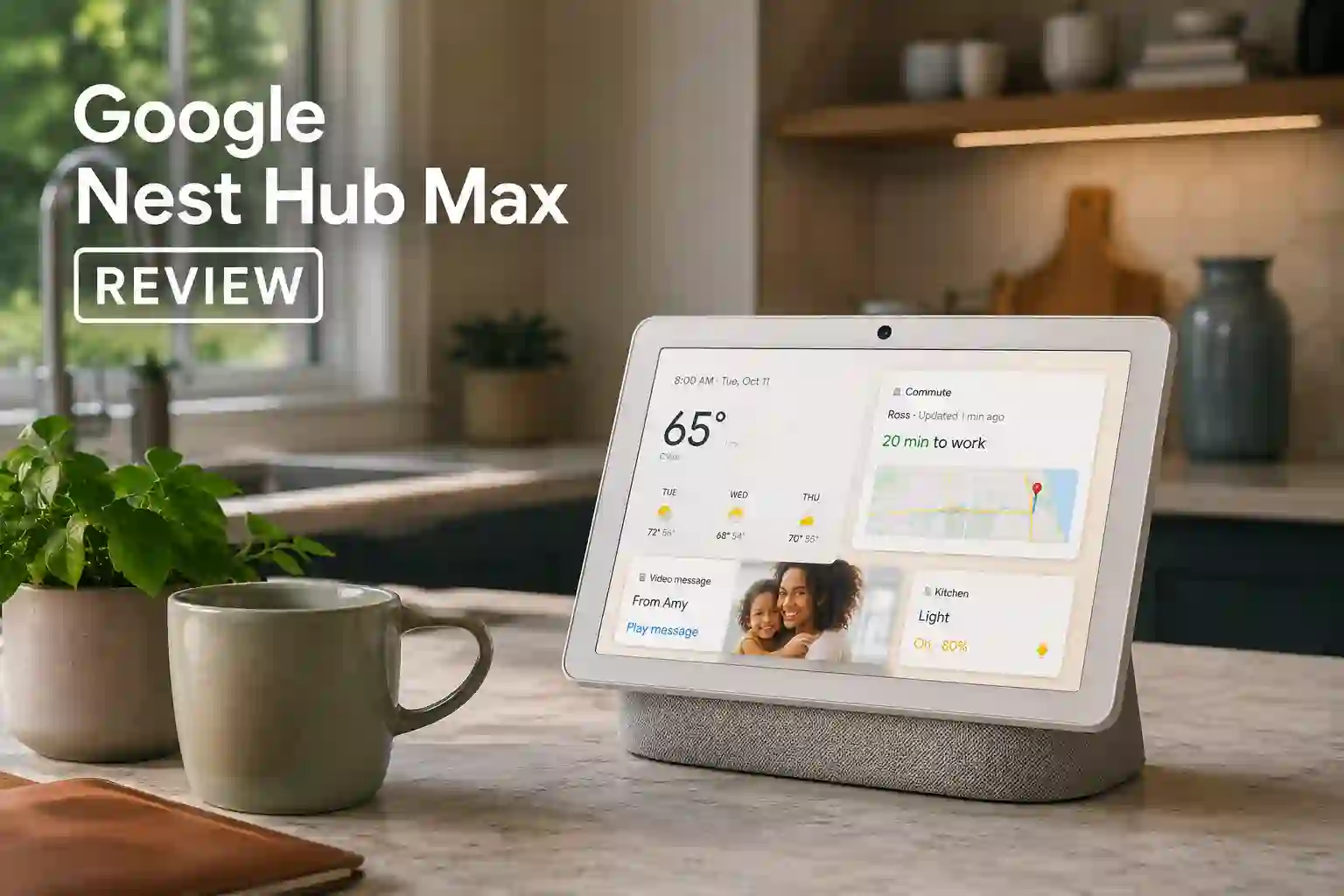
This Google Nest Hub Max review looks closely at a 10-inch smart display that doubles as a capable speaker and a camera-equipped home hub. The device is aimed at people who use Google services and want a larger screen than the smaller Nest Hub models, plus better audio and video-call capability. The main strengths are the bigger 10-inch HD touchscreen, room-filling stereo sound with a dedicated woofer, and a 6.5 MP wide-angle camera that supports video calls and remote monitoring.
The limitations to keep in mind include an HD resolution that is modest for a screen this size, a higher price compared with camera-less Nest Hubs, and camera-related privacy tradeoffs that some households may not accept. This article will explain the Nest Hub Max hardware and software features, real-world performance for movies and music, setup and placement advice, common issues, and whether IS IT WORTH BUYING Google Nest Hub Max for different types of users.
Google Nest Hub Max Review: Quick Verdict
Best For
Users invested in the Google Home ecosystem who want a larger smart display that also serves as a better speaker and a video-call device.
Not Ideal For
People who prioritize a very high-resolution display, those who want a camera-free device for privacy, or budget shoppers seeking the cheapest smart display.
Top Strengths
A 10-inch touchscreen with Chromecast built-in, a stereo speaker system with a dedicated woofer for fuller bass, and smart-home hub features including Thread and Matter support.
Biggest Weaknesses
Modest 1280 × 800 resolution for a 10-inch panel, higher price than camera-less Nest Hubs, and camera privacy concerns for some users.
Bottom Line
This Google Nest Hub Max REVIEW finds a solid all-rounder for households that want a larger display and better audio in the Google ecosystem. The camera and price are tradeoffs that will affect whether the device is right for every buyer.
Product Overview
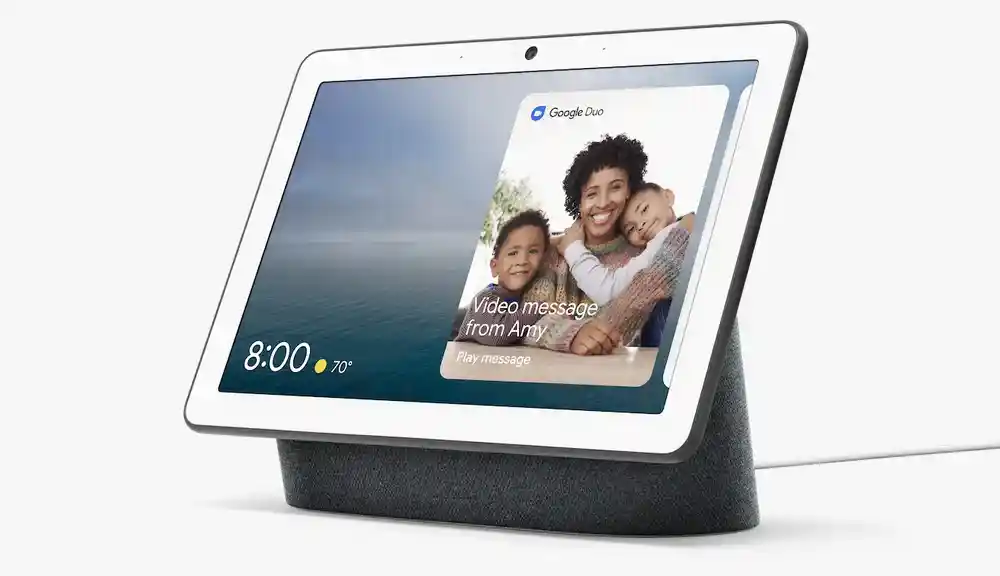
The Google Nest Hub Max is a smart home display with an integrated speaker system and a wide-angle camera. Positioned above Google’s smaller Nest Hub models, it emphasizes multimedia use — watching videos, streaming music, and taking video calls — while also functioning as a smart-home hub with Thread border router and Matter support. The Nest Hub Max sits in the midrange of smart displays where screen size, speaker quality, and smart-home integration matter most. It targets users who want one device to handle entertainment, communication, and home control inside the Google Home ecosystem.
Google Nest Hub Max Specifications
| Specification | Detail |
|---|---|
| Display | 10-inch touchscreen, 1280 × 800 (HD) |
| Speakers | Stereo configuration: 2 × 18 mm tweeters (10 W each) plus 1 × 75 mm woofer (30 W), 50 W total |
| Camera | 6.5 MP wide-angle camera, approximately 127° field of view |
| Connectivity | Wi‑Fi 802.11 b/g/n/ac dual-band (2.4 GHz/5 GHz), Bluetooth 5.0, Chromecast built-in |
| Smart-home Protocols | Thread border router (802.15.4) and Matter support |
| Voice Assistant | Google Assistant built-in with Voice Match and far-field microphones |
| Dimensions | Width 9.85 in (250.1 mm) × Height 7.19 in (182.6 mm) × Depth 3.99 in (101.23 mm) |
| Power Output | 50 W total (2×10 W tweeters + 30 W woofer) |
Why These Specifications Matter
When evaluating this Google Nest Hub Max, the most important specifications define what the device will feel like in daily use. The 10-inch screen gives more room for video calls, recipes, and photo slideshows than a smaller hub, but the 1280 × 800 resolution explains why text and fine detail look good at normal viewing distances without matching full HD clarity. The stereo speaker array plus a dedicated woofer directly affects sound: expect fuller bass and better clarity for music and movies compared with single-driver smart displays.
The built-in camera and its wide 127-degree field of view matter for family video calls and remote monitoring, while the Thread and Matter support matters for anyone building a modern smart-home setup because it helps the Nest Hub Max act as a capable hub for compatible devices. Overall these specs translate to a device that balances visibility, audio performance, and home integration with a few tradeoffs.
Key Features Explained
Display
The 10-inch touchscreen is the heart of the Nest Hub Max experience. It gives a noticeably larger viewing area than smaller Nest Hubs, useful for watching short videos, following step-by-step recipes, and showing Live Albums from Google Photos. The resolution is 1280 × 800 which keeps the UI crisp at typical viewing sizes but is not as sharp as full HD or high-resolution tablet screens. If seeing very fine detail is a priority, the resolution is a tradeoff to keep in mind.
Speakers and Audio
The Nest Hub Max has two tweeters and a dedicated 75 mm woofer, producing 50 W total output. That arrangement gives a fuller low end and clearer mids compared with Google’s smaller displays. For everyday listening and watching, the improved bass and stereo separation mean music, dialogue, and ambient effects come through with more presence and warmth. It is not a replacement for a high-end speaker system, but for small to medium rooms the audio is one of the device’s strong selling points.
Camera and Video
A 6.5 MP camera with a ~127° field of view enables wide-angle video calls and options for remote room check-ins. The camera is also central to features like auto-framing and Live Albums in some modes. Camera capability makes the Nest Hub Max more versatile but introduces privacy considerations that many buyers weigh. The inclusion of a camera is a feature that benefits households that make frequent video calls or want the convenience of a display that can act as a monitoring device.
Smart Assistant and Home Hub Roles
Google Assistant is built in with Voice Match and far-field microphones, so multiple household members can get personalized responses. Chromecast built-in allows seamless casting from phones and apps to the display. The Thread border router and Matter support expand smart-home compatibility, so the Hub Max can act as a bridge for newer smart-home devices and help unify devices within Google Home.
Live Albums and Ambient EQ
The Nest Hub Max can show Google Photos as a dynamic photo frame with Live Albums, while Ambient EQ adjusts the screen brightness and color to match room lighting. These features help the device blend into a living space when not in active use and keep the display from looking too bright or washed out under changing lighting conditions.
Who Should Buy Google Nest Hub Max?
Ideal Buyers
People already invested in the Google Home ecosystem who want a larger display for recipes, photo slideshows, and video calls.
Households that want better audio from a smart display without adding a separate speaker.
Users who want a device that also acts as a Thread border router and supports Matter for future smart-home devices.
Who Should Avoid It
Anyone who insists on the sharpest possible screen on a 10-inch device may find the 1280 × 800 resolution limiting.
Shoppers who prefer a camera-free smart display for privacy reasons should consider a smaller camera-less Nest Hub instead.
Budget buyers who prioritize the lowest price over features will likely prefer the smaller, less expensive Nest Hub models.
Best Use Cases
Kitchen countertop for recipes and timers, a common area display for photos and video calls, and a bedroom or office device that doubles as a smart-home hub.
Less Suitable Use Cases
Primary living-room TV replacement for large-room audio and video, or situations requiring high-resolution screen detail for graphics-heavy content.
Design and Build Quality
The Nest Hub Max presents as a substantial smart display built for visibility and sound. The larger footprint means placement needs to be considered so it does not crowd a countertop or bedside table. Materials and finish details are typical of Google’s smart-home line, designed to look at home in a living area. The device is intended to sit on a stable flat surface, and the integrated speakers and woofer mean no external subwoofer is required.
Ambient EQ and Live Album features help it blend into the background as a digital photo frame when idle. The built-in camera and its privacy tradeoffs are a design consideration; buyers should plan where to place the device and how to control camera access if privacy is a concern.
Setup and Installation
Setup follows the Google Home approach for Nest devices. Power up the unit, add it to the Google Home app, connect to Wi‑Fi, and sign in to a Google account. Voice Match is optional and enables personalized results for different household members. Bluetooth 5.0 and Chromecast built-in allow streaming and casting from phones and tablets. Typical setup is plug-and-play for users already familiar with Google Home, though specific step-by-step instructions live on official support pages. The Nest Hub Max works best on a stable surface with good Wi‑Fi coverage for casting and video calls. Read the official Google Nest Hub Max user manual for complete details.
Real-World Performance
Movies and TV
For watching short videos, web content, or streaming services accessible via Chromecast, the Nest Hub Max provides clear dialogue and improved low-end presence. The stereo tweeters and woofer help bring out background effects and give a more cinematic feel than smaller smart displays. The HD resolution is acceptable for casual viewing at arm’s length but it will not match full-HD screens for pixel-level detail. The device performs well for clips, cooking videos, and casual show viewing in small-to-medium rooms.
Music Listening
Music sounds fuller and more satisfying than on single-driver smart displays. Vocals are clear and mid-range reproduction is solid for everyday listening. The integrated woofer adds a low-end weight that makes pop, acoustic, and many modern tracks sound complete. For serious audiophiles the Nest Hub Max is not a dedicated hi-fi system, but for most listeners it is an excellent smart-display speaker that fills smaller rooms with sound.
Gaming
The Nest Hub Max is not positioned as a gaming device. There is no verified information on latency or positional audio in the research data. For casual mobile-cast gaming the display and speakers suffice for short sessions, but it is not a substitute for a TV or dedicated gaming monitor and sound system.
Voice Content and Podcasts
Voice-first content such as podcasts and news reads very well thanks to clear mids and good dialogue clarity from the stereo drivers. Far-field mics and Google Assistant combine to deliver hands-free playback control, timers, and search without having to touch the screen.
Indoor and Outdoor Use
The Nest Hub Max is designed for indoor use. It is best suited to kitchens, living rooms, bedrooms, and home offices. Outdoor use is not recommended in the research data and the device is intended to remain on stable indoor surfaces.
Best Settings for Google Nest Hub Max
Questions like Best Sound Setting For Google Nest Hub Max appear often among buyers. There are no verified community-curated EQ presets or specific recommended equalizer settings documented in the available material. That means the Nest Hub Max is expected to perform well out of the box with its speaker tuning, and any detailed EQ or night-mode tweaks should be explored in the Google Home app if options exist. If wanting to optimize for different content types, use on-device volume adjustments and app-based equalizers when casting from compatible music apps.
Amazon Customer Google Nest Hub Max Review Rating
| Stars (4.3/5) | Review (2,135 global ratings) |
| 5 Star | 72% |
| 4 Star | 8% |
| 3 Star | 5% |
| 2 Star | 6% |
| 1 Star | 9% |
Why Users Are Giving 4 and 5-Star Reviews
Most buyers are highly satisfied with the Google Nest Hub Max because it combines a large smart display with excellent sound quality. Users frequently mention that the 10-inch screen is bright, sharp, and perfect for watching YouTube, following recipes, viewing photos, and making video calls. Many also appreciate how the display doubles as a digital photo frame, bringing family memories to life throughout the day.
Another major reason for the high ratings is the ease of everyday use. Customers enjoy controlling smart home devices, checking calendars, setting timers, asking Google Assistant questions, and streaming music with simple voice commands. The speaker delivers clear vocals with surprisingly powerful sound for its size, making it ideal for kitchens and living rooms. Many users upgraded from older Google Home devices and found the Hub Max to be a significant improvement. Overall, reviewers feel it offers an excellent combination of smart features, display quality, audio performance, and convenience for everyday home use.
Why Users Are Giving Below 3-Star Reviews
Lower-rated reviews mainly focus on software limitations rather than the hardware itself. Several users found the initial setup process confusing, with little guidance provided. Some had to rely on YouTube tutorials or third-party help before they could successfully configure the device. Others reported slow touchscreen responsiveness, making navigation feel less smooth than expected.
A few customers experienced reliability issues with Google Assistant, saying it occasionally failed to recognize voice commands or responded with “I don’t understand” even for simple requests. Disappointment was also expressed over missing or discontinued features, particularly video calling support after changes to Google Duo and Google Meet integration.
Some buyers expected broader app support but discovered they couldn’t install additional apps like a traditional tablet. A handful of users also mentioned occasional hardware problems, such as display failures or connectivity issues. These frustrations caused some reviewers to feel the device did not fully deliver on its premium price and smart display promises.
Connectivity and Smart Features
The Nest Hub Max supports Wi‑Fi 802.11 b/g/n/ac on 2.4 GHz and 5 GHz bands and Bluetooth 5.0 for local streaming. Chromecast built-in makes casting media from phones and compatible apps straightforward. Google Assistant with Voice Match and far-field microphones provides hands-free control and personal responses. The inclusion of Thread border router functionality and Matter support positions the device as a modern smart-home hub, helping coordinate newer smart devices. There is no verified information on HDMI, USB, or advanced audio format support in the available material.
Common Problems and Troubleshooting
Privacy concerns about the camera are the most common issue, and practical solutions include disabling camera features or using physical covers where available. Some third-party integrations can change over time; an example from reviews notes that support for specific platforms like Zoom has shifted, so checking current platform compatibility is wise. Casting and connectivity hiccups typically trace back to home Wi‑Fi or pairing issues; standard troubleshooting involves restarting routers or re-pairing the device via the Google Home app.
Competitor Comparisons
Google Nest Hub (2nd gen)
When comparing the Nest Hub Max with the Nest Hub 2, choose the Max if needing a larger screen, superior audio, and a built-in camera. Choose the Nest Hub (2nd gen) if a smaller footprint, lower price, and a camera-free device are priorities.
Amazon Echo Show 8
If the priority is an Alexa-centric smart display, the Echo Show 8 addresses that ecosystem. Choose the Nest Hub Max if Google Assistant, Chromecast, and the specific audio and smart-home features of Google Home are more important.
Amazon Echo Show 10
For buyers wanting a motorized or rotating screen and Alexa integration, the Echo Show 10 might be attractive. The Nest Hub Max is better suited to buyers who want stationary display with Google Assistant and stronger integrated audio in the Google ecosystem.
Meta Portal
If video-calling features tied to Meta services are central to the decision, Portal devices may suit that niche. Choose the Nest Hub Max if smart-home integration with Thread and Matter, Chromecast, and Google Assistant are higher priorities.
Pros and Cons
Pros
- 10-inch touchscreen for improved visibility and multimedia use
- Stereo speaker system with a dedicated woofer for fuller bass
- Built-in 6.5 MP wide-angle camera for video calls and monitoring
- Thread border router and Matter support for smart-home integration
- Chromecast built-in and Google Assistant integration
Cons
- Modest 1280 × 800 HD resolution on a 10-inch screen
- Higher price compared with smaller camera-less Nest Hub models
- Built-in camera introduces privacy tradeoffs for some households
Value for Money
This Google Nest Hub Max review finds the device offers solid value for people who want a larger smart display with better audio and camera functionality within Google Home. The Thread and Matter support add future-proofing for smart-home setups. The price sits above the smaller Nest Hub models, which is justified by the larger screen, stronger speaker system, and camera features for many buyers, but it is a premium versus camera-free alternatives.
Final Verdict
The Google Nest Hub Max review shows a well-rounded smart display that hits the sweet spot for households wanting more from a Nest Hub: a larger screen, noticeably better audio, and camera-enabled features. Its 10-inch HD display and 50 W speaker system offer a clear improvement over smaller Nest Hubs for music and casual viewing. The inclusion of Thread and Matter support also makes it a strong choice for growing smart homes.
The main tradeoffs are the HD resolution that is modest on a 10-inch display, a higher price than camera-less options, and camera privacy considerations that matter to some users. For most Google-centric homes that want one device for entertainment, calls, and home control, this Google Nest Hub Max review recommends the Nest Hub Max as a capable and convenient pick.
How This Product Was Evaluated
This review examined the Nest Hub Max specifications, including display, speaker configuration, camera specs, connectivity and smart-home features. Real-world strengths and limitations were drawn from professional review coverage and documented product specs. Competitor positioning and likely buyer scenarios were considered to make a practical buying recommendation.
Does the Google Nest Hub Max have a camera?
Yes. The device includes a 6.5 MP wide-angle camera with an approximately 127-degree field of view for video calling and monitoring.
What is the display resolution of the Nest Hub Max?
The Nest Hub Max uses a 10-inch touchscreen with a 1280 × 800 HD resolution.
Does the Nest Hub Max support Google Assistant?
Yes. Google Assistant is built in with Voice Match and far-field microphones.
Can I cast content to the Nest Hub Max?
Yes. Chromecast built-in allows casting audio and video from compatible devices and apps.
Does the Nest Hub Max act as a smart-home hub?
Yes. It has Thread border router functionality and supports Matter for smart-home interoperability.
Is the Nest Hub Max good for music and movies?
Yes. This Google Nest Hub Max is Google’s most entertainment-friendly smart display, offering better audio and a larger screen than smaller Nest Hubs for casual music and video in small to medium rooms.
Is It Worth Buying Google Nest Hub Max if privacy is a priority?
The answer depends on the importance of camera-free operation. If camera privacy is a top concern, a camera-less Nest Hub or other display may be preferable.